Master Messy, Inky, and Textured Art Brushes for Illustrator
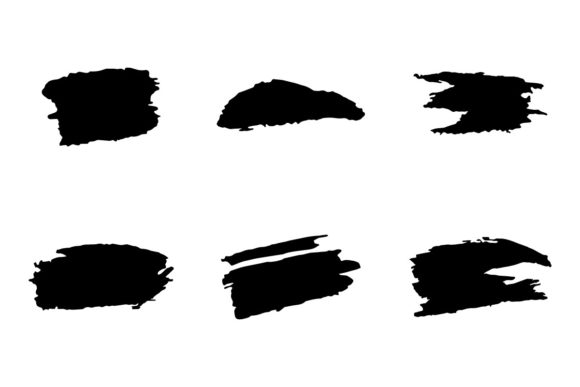
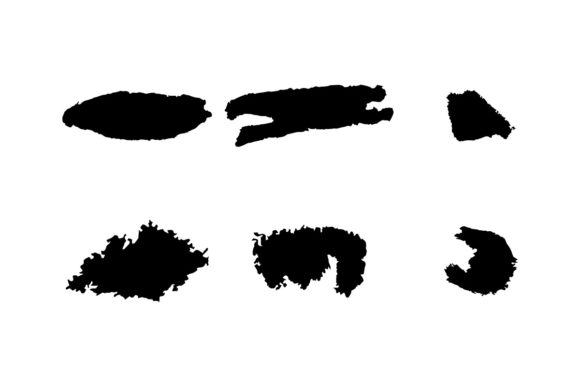
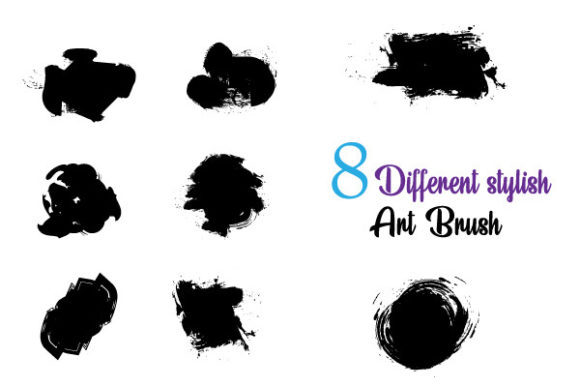
If you have ever struggled to make digital artwork feel "human," you aren't alone. There is a distinct gap between the crisp, mathematical precision of vector graphics and the chaotic beauty of real ink or paint. When we look at Different Style of Art Brushes that are messy, inky, and textured, we aren't just looking at a design asset; we are looking for a way to inject soul into our work. These aren't the clean, sterile lines of standard vector tools. Instead, these brushes are designed to mimic the unpredictability of real-world media, offering a "glitchy" and rough aesthetic that stands out in a polished digital landscape.
Breaking Down the Digital Polish
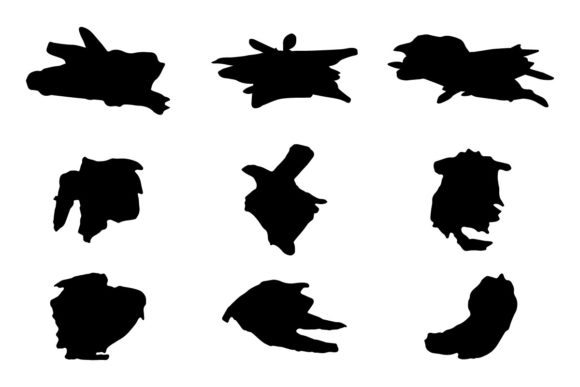
Most Adobe Illustrator users default to the Blob Brush or the Pen Tool. They get the job done, sure, but the result often feels flat. The brushes described here—specifically the messy, inky, rough, textured & glitchy variants—change the game because they introduce "happy accidents" into your workflow. When you apply one of these strokes, you aren't just drawing a line; you are stamping a texture. This is the essence of modern typography and illustration: embracing imperfection.
What makes these specific art brushes effective is their construction as editable vector paths. Unlike raster textures (like those in Photoshop), these remain scalable. You can draw a logo on a business card and blow it up to a billboard, and that gritty, ink-splatter texture remains sharp. This is crucial for brand identity work where consistency across different media is non-negotiable.
The Personality of "Messy" Design
Why choose a messy brush over a clean one? It comes down to emotion. Clean, geometric sans-serif fonts and lines suggest corporate stability, logic, and order. Different Style of Art Brushes that feature ink splatters and rough edges suggest authenticity, creativity, movement, and energy. If you are designing for a craft brewery, a vintage clothing brand, or an edgy tech startup, that "hand-made" feel is a massive asset. It tells the audience that a human made this, not just a machine.
Real-World Applications: From Branding to Content
The versatility of these Adobe Illustrator assets is where the practical value lies. As a designer or entrepreneur, you need assets that work hard. Here is how these brushes fit into specific projects:
- Logo Design: Pair a rough, textured brush stroke with a clean serif font or sans serif font. This creates an immediate visual hierarchy. The texture draws the eye, while the clean type ensures legibility. It is a classic pairing strategy for logo design.
- Editorial Design: In magazines or blogs, pull-quotes often get lost. Using a bold, inky brush stroke behind white text creates a dramatic focal point. It adds a layer of visual hierarchy that guides the reader’s eye exactly where you want it.
- Packaging Design: For products that want to emphasize natural ingredients or artisanal quality, these brushes are perfect. They simulate the look of screen printing or rubber stamping, which implies small-batch production and care.
- Social Media Graphics: The "glitchy" aspect of these brushes is particularly useful for digital content. In a sea of perfect Instagram grids, a distorted, textured overlay on an image can stop the scroll. It feels raw and immediate, which boosts audience engagement.
File Formats and Workflow Efficiency
Nothing kills creativity faster than technical hurdles. These brushes come included as SVG and Eps files, which is the industry standard for vector interchange. This means you aren't locked into a rigid system. You can import the SVG files into other vector software if needed, though they are optimized for Adobe Illustrator CC. Because they are easy customizable regarding color, you can match them instantly to any existing color palette. If a client changes their brand hex code halfway through the project, you simply select the stroke and change the color. No redrawing required.
Integrating Texture with Typography
A common mistake in web design and print is treating text and graphics as separate entities. However, when you use different style of art brushes, you can actually integrate text into the artwork. Imagine a script font or handwritten font where the crossbar of the 't' extends into a messy ink splatter using one of these brushes. This creates a cohesive brand identity that feels connected rather than assembled from parts.
Consider the readability factor, though. These brushes are generally "display" assets—meant for headers, logos, and accents. You wouldn't use a glitchy, rough brush for body copy (the small text). That would destroy readability. The smart approach is to use a highly legible, professional premium font for your body text, and reserve these textured brushes for the high-impact moments.
Evaluating Project Fit
Before applying these brushes, ask yourself: What is the personality of this project? If you are designing a quarterly financial report, these brushes might be too chaotic. But if you are designing a poster for a music festival, a cover for a graphic novel, or a menu for a street food vendor, they are exactly what you need. They bridge the gap between digital and print, ensuring your work looks tactile and expensive.
Practical Tips for Using Glitchy & Rough Brushes
To get the most out of these design assets, keep these professional observations in mind:
- Don't Overdo It: Just because the brushes are "messy" doesn't mean your layout should be. Use textured strokes sparingly to accent clean lines. A single rough underline beneath a headline is more powerful than a page covered in ink blots.
- Scale Matters: While these are vectors, zoom in to check the texture at the size it will be printed or displayed. A texture that looks cool at 500% might look like a jagged blob at 100%. Adjust the stroke weight to refine the texture.
- Layering Effects: Experiment with transparency. Set your brush strokes to "Multiply" or "Overlay" in the transparency panel. This allows the texture to interact with the background color or image, creating a more realistic, ink-on-paper effect.
- Commercial Licensing: Always double-check the license. Since these are exclusive brushes, you want to ensure the license covers your specific use case, whether it's for a personal hobby project or a large-scale commercial product launch.
Ultimately, Different Style of Art Brushes are about control within chaos. They give you the power to create artwork that feels alive, textured, and deeply human, all while maintaining the precision and scalability of Adobe Illustrator. Whether you are a content creator, blogger, or small business owner, integrating these tools into your workflow is a practical step toward elevating your visual communication.