Authentic Texture: 68 Watercolor Brushes for Illustrator
Every designer hits a point where standard digital assets feel too sterile. We spend hours looking for that perfect organic texture, that specific shade of warmth that only a hand-painted element can provide. For those of us working in Adobe Illustrator, creating that effect from scratch is notoriously difficult. Vectorizing watercolor usually results in a loss of the delicate granulation and unpredictable bleed that makes the medium so appealing. That is why finding a resource like the 68 Watercolor Brushes for Illustrator is a game-changer for anyone serious about their visual output.
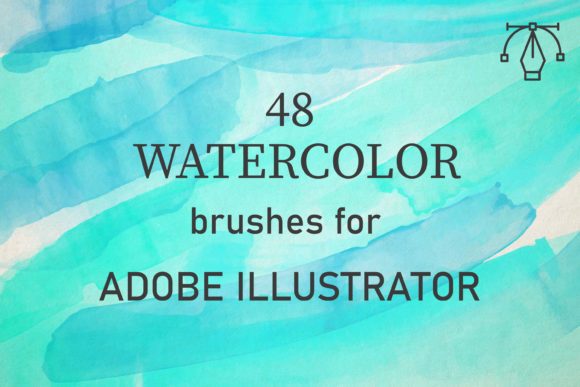
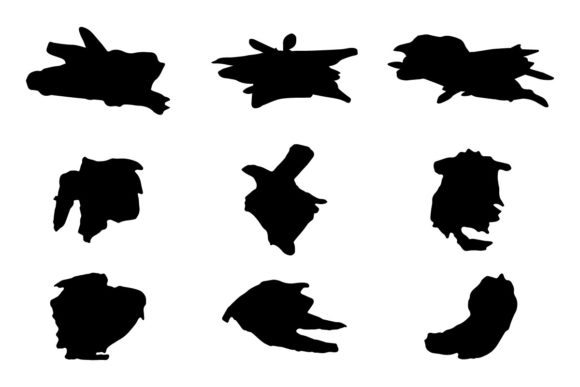
This collection is not just a random assortment of shapes. It is a carefully curated set of 68 unique vector brushes derived from real-world watercolor applications. The core appeal here is the authenticity of the texture. You are getting the actual grain of the paint and the fibrous quality of the paper translated into a vector format. This allows you to maintain the scalability required for professional print and digital work while preserving the soul of hand-painted art. It bridges the gap between the convenience of vector software and the aesthetic richness of traditional media.
Real-World Application and Creative Freedom
When you open the file, you will find a comprehensive AI set containing all 68 brushes. Because these are vector-based, they are compatible with Adobe Illustrator CC and above, functioning seamlessly on both PC and Mac. The versatility here is massive. Whether you are designing a wedding invitation, a book cover, or a series of social media graphics, these brushes provide the building blocks for stunning visual storytelling.
One of the most practical aspects of this pack is how it handles layering. Real watercolors are defined by the buildup of washes to create tone and depth. These digital brushes mimic that behavior perfectly. By simply setting your blend mode to Multiply or Darken, you can overlap strokes to create rich, deep colors that look genuinely painted. You have full control over the opacity and color, allowing you to build up that texture gradually. This makes them incredibly effective for creating backgrounds that don't look like a flat, digital afterthought.
For entrepreneurs and small business owners, this is a particularly valuable design asset. Custom illustrations are expensive to commission. However, with a premium font or brush set like this, you can create high-quality artwork at a reasonable price. Imagine designing a logo for a boutique skincare brand or a cafe. Instead of using a generic icon, you can use these brushes to create a custom logo design that feels artisanal and high-end. The personality of the brushes—soft, flowing, and expressive—immediately conveys a brand identity that is creative and approachable.
Strategic Use in Branding and Layout
Understanding how to integrate these brushes into your workflow is key to maximizing their value. They are not just for doodling; they are strategic tools for visual hierarchy and audience engagement. Here are a few practical scenarios where this brush pack shines:
- Editorial and Packaging Design: In editorial design, you can use the brushes to create spot illustrations or decorative borders that break up text-heavy layouts. In packaging design, watercolor textures add a tactile quality that suggests natural ingredients or handmade craftsmanship. A food brand, for instance, could use these strokes to frame nutritional information, making the label feel less clinical.
- Digital and Web Presence: For web design and social media graphics, consistency is vital. You can create a set of headers and background elements using these brushes to establish a cohesive brand identity. Because they are vector files, they will remain crisp on retina screens and high-resolution displays, ensuring your brand looks professional everywhere.
- Typography Pairings: These brushes work exceptionally well alongside various typefaces. Try pairing a bold serif font or a clean sans serif font with a watercolor background to create contrast. The organic nature of the brush strokes softens the rigidity of modern typography. If you are using a script font or handwritten font for a headline, layering a watercolor wash behind it can enhance the legibility and visual impact, drawing the reader's eye exactly where you want it.
The "personality" of these brushes is undeniably artistic. They lend a sense of human touch to digital projects, which is increasingly rare and valuable. In a market saturated with sleek, geometric designs, a watercolor element can make a brand feel more relatable and emotional. This is crucial for bloggers, publishers, and content creators looking to build a loyal community. Visuals that feel "lived in" and textured often perform better in terms of engagement because they stand out in a scrolling feed.
Practical Tips for Best Results
To get the most out of the 68 Watercolor Brushes for Illustrator, it helps to treat them as you would real paint. Do not just apply a single stroke and call it done. The magic happens in the overlap.
- Experiment with Color Mixing: Pick two analogous colors. Lay down a stroke of the first color, then overlap it with the second. Adjusting the opacity allows the colors to blend visually, mimicking the way wet-on-wet watercolor painting works. This creates depth that a single flat color cannot achieve.
- Use Clipping Masks: A powerful technique is to apply these strokes inside a text frame or a geometric shape. This creates a "knockout" effect where the texture lives inside the letterforms or the container. This is a staple in modern creative font usage and high-end brand identity work.
- Evaluate Readability: When using these brushes as backgrounds for text, always test for readability. Ensure there is enough contrast between the watercolor wash and the text color. If the texture is too busy, it can distract from the message. A subtle fade or a lower opacity setting often works best for text-heavy areas.
Ultimately, this collection is about creative potential. It provides the tools to elevate a project from "good enough" to "exceptional." Whether you are a seasoned graphic designer looking to speed up your workflow or a hobbyist wanting to create personalized gifts, the ability to generate realistic watercolor effects instantly is invaluable. The files are easy to use, lightweight, and optimized for performance. If you ever run into issues or have questions about how to integrate the files into your specific version of Illustrator, support is readily available to ensure you can start creating without frustration.
In the realm of modern typography and design, having high-quality assets at your fingertips is non-negotiable. This pack of 68 brushes offers a robust solution for adding warmth, texture, and professionalism to any project. It proves that you don't need messy paints and expensive paper to capture the beauty of watercolor—you just need the right digital tools.