Washi Tape Stamps for Procreate: Elevate Your Digital Art
There's a certain charm to washi tape that digital art sometimes struggles to replicate. It's that tactile, slightly imperfect, and endlessly versatile element that can add a layer of personality and warmth to a design. For Procreate users, capturing that essence just got significantly easier. The Washi Tape Stamp set for Procreate is a collection designed to inject that handmade, decorative flair directly into your digital workflow, offering a practical solution for adding texture, borders, and accents with a single tap.
Understanding the Tool: Not a Brush, But a Stamp
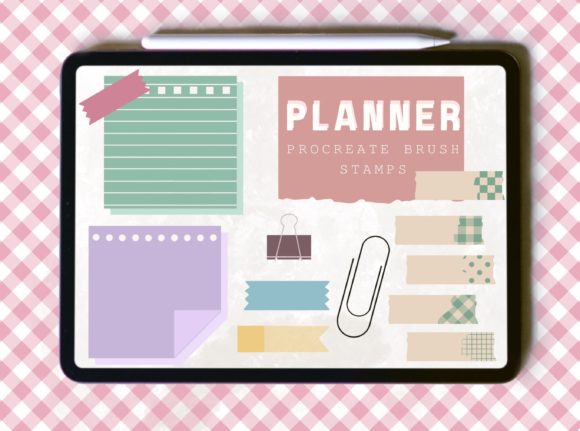
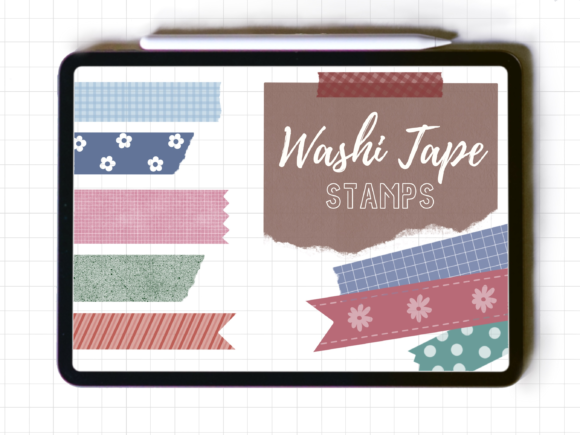
First, it's crucial to understand what this product is—and what it isn't. This is a set of 20 individual stamps, not a continuous brush. This distinction is fundamental to its use. A brush creates a stroke as you drag, while a stamp applies a single, complete image—here, a piece of washi tape—wherever you place it. This makes it perfect for adding quick, consistent elements without the need for careful brushing or erasing. Each stamp is a pre-designed snippet of tape, complete with the subtle texture and gentle, translucent edges that define real washi.
The visual personality of these stamps is one of playful authenticity. They aren't sterile, perfect geometric shapes. Instead, they carry the slight irregularities and soft, textured appearance of physical tape. This style is inherently handwritten and organic, making it a fantastic creative font alternative for projects that need to feel approachable, crafty, or whimsical. Think of them as a display font made of tape—they're meant to be seen and to add character, not to set body copy.
Practical Applications: Where Washi Tape Stamps Shine
The true value of the Washi Tape Stamp for Procreate lies in its broad utility across various creative projects. For brand identity and logo design, a single, well-placed tape stamp can act as a charming underline for a brand name in a script font or handwritten font, reinforcing a artisanal or boutique aesthetic. It's a subtle touch that speaks volumes about a brand's personality.
In editorial design and publishing, these stamps are invaluable. Use them to create visual dividers in a magazine layout, to "pin" a note or a pull quote to a page in a digital journal, or to add decorative borders to photo inserts in a scrapbook-style blog post. For packaging design, they can simulate a label seal or a decorative strip on a mockup, adding a tangible, tactile quality to the presentation.
Their role in social media graphics and web design is equally strong. A washi tape stamp can frame a testimonial, highlight a call-to-action button, or add a burst of color and texture to an Instagram story or a Pinterest pin. Because they can be used in any color or opacity, you can match them perfectly to your brand's palette, ensuring consistency across all platforms. This flexibility allows them to support, rather than clash with, your primary sans serif font or serif font choices.
Integrating the Stamps into Your Design Process
When choosing to use the Washi Tape Stamp for Procreate, consider the overall tone of your project. These stamps are a natural fit for designs that lean toward the informal, creative, or nostalgic. They pair beautifully with other handwritten fonts, script fonts, and even clean modern typography to create a compelling contrast. For instance, a minimalist layout with a strong sans serif font can be softened and personalized with a few strategic tape accents.
Evaluating project fit is straightforward. Ask yourself: does this project benefit from an element of playfulness, texture, or a handmade feel? If the answer is yes, these stamps are a strong candidate. They excel in projects for small businesses, bloggers, crafters, and hobbyists, but can also be used by larger brands looking to inject a moment of relatable humanity into their marketing materials.
Practical testing is key. Once downloaded, experiment with resizing—since they are high-quality stamps, you can scale them to best fit your art without losing clarity. Test different font pairings in your composition. Place a tape stamp next to a heading set in a bold premium font to see how the textures interact. Use the opacity slider to create layered, semi-transparent effects that add depth. Remember, these are design assets meant to be adapted to your vision.
A final, critical note: this is a digital product designed exclusively for Procreate on an iPad, tested with an Apple Pencil. The download is a .brushset file within a zip folder, containing all 20 stamps for instant download. This specificity is a strength, as the stamps are optimized for the app's engine, ensuring smooth performance. For creators invested in the Procreate ecosystem, the Washi Tape Stamp set is a focused, high-utility tool that adds a distinctive layer of visual interest and professional polish to a wide array of digital and print-ready projects.